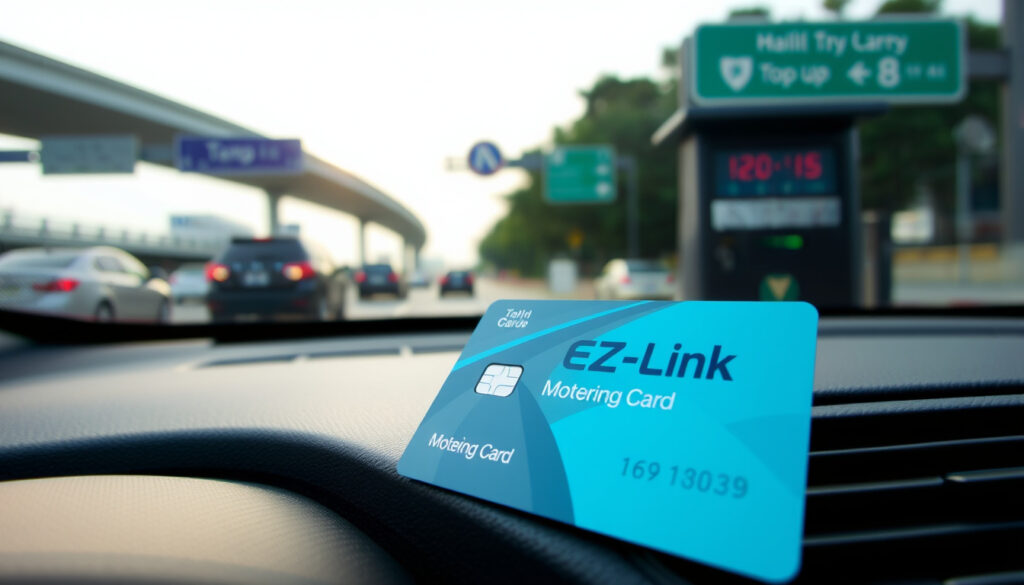
EZ-Link Motoring Card: Buy, Use & Top Up Guide Singapore
If you’ve been driving in Singapore long enough, you’ve probably had that moment at an ERP gantry — the uneasy glance at your card balance just before the beep. The EZ-Link Motoring card exists to keep that moment from becoming a reality. Issued through SimplyGo, it’s the dedicated stored-value card for road users: ERP charges, carparks, the whole motoring package. Here’s everything you need to know before you buy one — and a few things that might surprise you.
Primary Uses: ERP gantries and carpark payments ·
Compatibility: Dual-mode IU and OBU ·
Issuer Platform: SimplyGo ·
Ongoing Support: Valid CEPAS cards usable post-ERP 2.0 ·
Top-up Options: Auto top-up available
Quick snapshot
- ERP and carpark payments only (SimplyGo FAQ)
- Maximum balance: $500 (SimplyGo FAQ)
- CEPAS compliant, valid under ERP 2.0 (LTA OneMotoring)
- Whether tourists can purchase EZ-Link Motoring cards directly
- Whether the card works on MRT or public transit
- Specific convenience store top-up fees
- Auto Top-up live via SimplyGo app now (SimplyGo FAQ)
- ERP 2.0 OBU rollout ongoing (LTA OneMotoring)
- Card remains valid through transition (SimplyGo FAQ)
- SimplyGo app becomes primary management hub (EZ-Link product page)
- Rewards redemption via app catalogue (EZ-Link product page)
- OBU adoption to expand card use cases (EZ-Link product page)
The table below consolidates the key attributes of the EZ-Link Motoring card into a single reference point.
| Attribute | Detail |
|---|---|
| Full Name | EZ-Link Motoring card |
| Provider | EZ-Link via SimplyGo |
| Supported Payments | ERP and carparks |
| Hardware Needs | Dual-mode IU or OBU |
| Transition Status | Valid under ERP 2.0 |
| Max Stored Value | $500 |
| Auto Top-up Threshold | $20 balance |
| Reward Points | 1 point per 10 cents spent |
How to get EZ-Link motoring card?
Getting your hands on an EZ-Link Motoring card is straightforward if you know where to look. The card is available through SimplyGo’s official channels, and the process takes just a few minutes online.
Eligibility requirements
Any licensed driver in Singapore can purchase an EZ-Link Motoring card. The card is designed for vehicle-based payments, so you don’t need a special permit — just a valid driver’s license and a compatible in-vehicle unit (IU). If you’re running a 2nd Generation In-Vehicle Unit (2GIU) or planning for the upcoming On-Board Unit (OBU), you’re already set up for the card.
Application process
Head to the SimplyGo Motoring card page to purchase online. The SimplyGo platform handles issuance — you’ll receive the card by mail or pick it up at an authorized outlet. There’s no separate application form beyond the purchase itself.
Registration steps
- Purchase via SimplyGo online portal
- Link card to SimplyGo app via NFC tap
- Set up Auto Top-up with Mastercard or Visa credit card
- Pair card to your credit card for direct charging
The implication: drivers who skip the Auto Top-up setup are signing up for repeated top-up trips. OneMotoring explicitly recommends Auto Top-up to avoid that last-minute scramble at the gantry.
What is an EZ-Link card?
The EZ-Link Motoring card is a contactless, multi-purpose stored-value card built specifically for road use in Singapore. It’s a CEPAS-compliant card issued through the SimplyGo platform, meaning it works with the national standard for electronic payments.
Key features of EZ-Link Motoring card
This isn’t the same card you’d use on the MRT. The Motoring variant is designed exclusively for vehicle-related expenses:
- ERP payments — cover road usage charges at electronic gantries
- Carpark fees — use at supported carparks across Singapore
- Dual-mode compatibility — works with 2GIU and upcoming OBU hardware
- Maximum balance — up to $500 stored value
- Reward programme — earn 1 EZ-Link Reward point per 10 cents spent
- Rewards catalogue — access over 100 merchant rewards via SimplyGo app
Differences from standard EZ-Link
The standard EZ-Link card is your transit card — bus, MRT, train. The Motoring card is for vehicles only. Here’s the critical distinction: the Motoring card cannot be upgraded or converted to a SimplyGo EZ-Link card. Once a Motoring card, always a Motoring card. If you’re currently using a standard CEPAS EZ-Link for motoring payments, that card will continue to work, but you shouldn’t migrate it to SimplyGo EZ-Link — doing so would break its motoring compatibility.
EZ-Link Motoring card holders earn 1 reward point per 10 cents spent — but only on motoring transactions. Public transit spending won’t earn points on this card.
Where do you get an EZ-Link card?
Finding an EZ-Link Motoring card comes down to knowing which channels actually carry them. Not every convenience store will have what you need.
Purchase locations
- Online via SimplyGo — primary purchase channel at EZ-Link Motoring product page
- Authorized outlets — check SimplyGo’s retail locator for partnered merchants
- Transit ticket offices — some MRT stations carry motoring cards
Online options via SimplyGo
The SimplyGo website is the most reliable source. Online purchases ship directly, and you’ll have the card in hand without hunting through physical stores. The platform also lets you manage top-ups, Auto Top-up settings, and rewards all in one place.
EZ-Link motoring card vs EZ-Link card
The naming overlap causes confusion. Here’s the straightforward breakdown.
Usage differences
The table below maps the functional differences between the two card types side by side.
| Feature | EZ-Link Motoring | Standard EZ-Link |
|---|---|---|
| Primary use | ERP, carpark | Bus, MRT, train |
| Transit payments | No | Yes |
| Motoring payments | Yes | Yes (existing CEPAS cards) |
| Upgradable to SimplyGo | No | Yes |
| Top-up via SimplyGo app | Yes (with NFC) | Yes (SimplyGo version skips NFC) |
| ERP 2.0 compatible | Yes | Only existing CEPAS cards |
The implication: the Motoring card is locked to vehicle payments, while the standard EZ-Link targets public transit with an upgrade path.
Motoring-specific benefits
- Dedicated Auto Top-up for ERP gantries — triggers at $20 balance
- Rewards earned specifically on motoring spend
- CEPAS compliance ensures continued use under ERP 2.0
- No risk of accidentally spending transit funds on road charges
The government’s Land Transport Authority (LTA) explicitly recommends Auto Top-up for ERP 2.0 — and the EZ-Link Motoring card delivers exactly that. Drivers who stick with standard transit cards for motoring are using a workaround, not a solution.
Can EZ-Link motoring card be used for mrt?
Short answer: no. The EZ-Link Motoring card is not designed for public transit. It won’t work at MRT fare gates or on buses.
Managing your Motoring card balance is simple through the SimplyGo app:
Open SimplyGo app and tap the top-up icon, select your linked EZ-Link Motoring card, then tap the card against your phone’s NFC reader to view your balance. Alternative channels include self-service machines, transit ticket offices, ATMs from DBS/POSB and OCBC, AXS kiosks, and 7-Eleven stores. Note that Cheers outlets currently do not offer EZ-Link top-up service — a specific gap confirmed by SimplyGo.
Top-up and balance check
Managing your Motoring card balance is simple through the SimplyGo app:
- Open SimplyGo app and tap the top-up icon
- Select your linked EZ-Link Motoring card
- Tap the card against your phone’s NFC reader
- Choose amount and confirm with OTP
Alternative channels include self-service machines, transit ticket offices, ATMs from DBS/POSB and OCBC, AXS kiosks, and 7-Eleven stores. Note that Cheers outlets currently do not offer EZ-Link top-up service — a specific gap confirmed by SimplyGo.
Auto top-up setup
Auto Top-up is the feature that eliminates guessing. When your balance drops below $20, the system triggers a top-up from your linked Mastercard or Visa credit card. The pre-authorisation holds a portion of your credit limit — this is released after seven days if no charges materialise. Up to three EZ-Link Motoring or standard EZ-Link cards can link to a single credit card.
The trade-off: pre-authorisation locks your credit line temporarily. Drivers who rarely use ERP might find the seven-day hold an irritant. But for regular commuters, the convenience outweighs the downside.
The trade-off: pre-authorisation locks your credit line temporarily. Drivers who rarely use ERP might find the seven-day hold an irritant. But for regular commuters, the convenience outweighs the downside.
- Open SimplyGo app, navigate to Auto Top-up settings
- Tap your card against the phone’s NFC reader to activate
- Link your credit card and set trigger threshold
- The system tops up once per day maximum when balance is insufficient
Account login
There’s no separate “EZ-Link Motoring account” — management happens entirely through the SimplyGo app. Download SimplyGo, create an account, and link your card via NFC. From there you can check balance, trigger top-ups, set Auto Top-up, and browse the rewards catalogue.
Comparison with NETS Motoring Card
Three key motoring cards dominate the Singapore road-payment market: EZ-Link Motoring, NETS Motoring Card, and the SimplyGo EZ-Link (for transit). Here’s how EZ-Link Motoring stacks up against its NETS competitor.
The table below presents the direct feature-by-feature comparison between the two competing motoring cards.
| Aspect | EZ-Link Motoring card | NETS Motoring Card |
|---|---|---|
| Platform | SimplyGo app | NETS app |
| Auto Top-up trigger | Below $20 balance | Below threshold (varies) |
| Auto Top-up payment | Mastercard or Visa credit card only | Credit or debit card |
| Top-up channels | SimplyGo app, ATMs, AXS, 7-Eleven, ticket offices | NETS app, NETS machines, ATMs, 7-Eleven |
| Failed charge handling | Pre-authorisation released after 7 days | Offsets outstanding from deposit |
| Rewards programme | EZ-Link Rewards catalogue (100+ merchants) | NETS rewards |
| ERP 2.0 ready | Yes (2GIU and OBU compatible) | Yes |
The pattern reveals two distinct philosophies: EZ-Link leans on credit card pre-authorisation, while NETS uses a deposit offset model. Drivers who prefer keeping things simple may gravitate toward EZ-Link’s rewards catalogue, while those already invested in NETS infrastructure might stay with their current setup.
Singapore drivers face a genuine choice — and the differences are real. NETS accepts debit cards for Auto Top-up; EZ-Link requires credit. If you’re a driver who prefers routing everything through a single credit card for tracking, EZ-Link Motoring is the cleaner option.
Specification breakdown
Seven facts worth knowing before you commit to a card.
The specifications below are sourced directly from official SimplyGo documentation.
| Specification | Value | Source |
|---|---|---|
| Maximum stored value | $500 | SimplyGo FAQ |
| Auto Top-up trigger threshold | $20 balance | SimplyGo FAQ |
| Pre-authorisation release | 7 days | SimplyGo FAQ |
| Max Auto Top-up sync deadline | 90 days | SimplyGo FAQ |
| Reward points rate | 1 point per 10 cents | EZ-Link product page |
| Max cards per credit card ATU | 3 | SimplyGo FAQ |
| Rewards catalogue size | Over 100 merchants | EZ-Link product page |
| Auto Top-up frequency limit | Once per day | SimplyGo FAQ |
Pros and cons
Upsides
- Dedicated card for ERP 2.0 — no fiddling between transit and motoring
- Auto Top-up prevents missed gantry charges
- Rewards programme with over 100 merchant partners
- SimplyGo app provides single management hub for all card functions
- Compatible with both current 2GIU and future OBU hardware
- CEPAS compliant — guaranteed validity through ERP 2.0 transition
Downsides
- Cannot be used on MRT or public transit
- Auto Top-up requires credit card — no debit card option
- Pre-authorisation holds credit line for up to 7 days
- Cheers and some convenience stores no longer support top-up
- Cannot be upgraded to SimplyGo EZ-Link card format
- Tourist purchase availability remains unclear
Step-by-step: Setting up your card
Most drivers will have their EZ-Link Motoring card running within ten minutes. Here’s the sequence.
- Purchase the card — order via SimplyGo’s online portal or find an authorized retailer
- Download the SimplyGo app — available on iOS and Android
- Create or log in to your SimplyGo account
- Link your card via NFC — open the app, select your card, and tap it against your phone’s NFC reader
- Set your first top-up amount — choose any amount up to the $500 maximum balance
- Activate Auto Top-up (recommended) — navigate to Auto Top-up settings, link your Mastercard or Visa, and confirm the $20 trigger threshold
- Insert card into IU/OBU — the card is ready for ERP and carpark use immediately
- Check balance regularly — via the app or at any top-up channel
What we know — and what we don’t
The facts around the EZ-Link Motoring card are solid. Here’s the honest calibration.
Confirmed
- ERP and carpark payments only — not valid on public transit
- Managed via SimplyGo platform with dedicated app
- CEPAS compliant, confirmed valid under ERP 2.0
- Auto Top-up triggers below $20 balance using credit card
- Rewards programme with catalogue of over 100 merchants
- Cannot be converted to SimplyGo EZ-Link format
Unclear
- Whether tourists can directly purchase the Motoring card
- Whether MRT compatibility is being considered for future updates
- Specific fees charged by convenience store top-up channels
The EZ-Link Motoring card is the one card you need for your motoring payments.
— SimplyGo (Official Provider)
Never forget to top up again by signing up for automatic top-up via either EZ-Link auto-top up or NETS auto-top up.
— OneMotoring (Land Transport Authority)
Summary
The EZ-Link Motoring card is not flashy, but it’s essential. Singapore’s shift toward ERP 2.0 makes a dedicated motoring card the practical choice for any driver who wants fewer surprises at the gantry. Auto Top-up alone removes the most common pain point — the forgotten top-up. For drivers running a household’s worth of vehicles, the three-card-per-credit-card limit keeps things manageable. For drivers who prefer debit, NETS Motoring is the alternative. But for those already in the SimplyGo ecosystem, the EZ-Link Motoring card is the natural fit.
For Singapore drivers, the choice is clear: link your card to a credit card, set Auto Top-up, and stop thinking about it. Or stick with manual top-ups and hope your balance holds on longer journeys.
Related reading: Student Monthly Concession Pass · Touch ‘n Go eWallet
appsupport.simplygo.com.sg, appsupport.simplygo.com.sg, ezlink.simplygo.com.sg, appsupport.simplygo.com.sg
EZ-Link’s motoring variant handles ERP gantries, while the SimplyGo EZ-Link card guide covers registration and top-ups for its transit-focused SimplyGo evolution.
Frequently asked questions
Where can I buy a motoring card?
Purchase online through SimplyGo’s official portal or check authorized retail outlets near you. Online purchase ships directly to your address.
Can a tourist buy an EZ-Link card in Singapore?
Tourists can purchase standard EZ-Link cards for public transit at Changi Airport and convenience stores. Availability of the Motoring-specific card for tourists is less clear — it’s primarily designed for licensed Singapore drivers.
Is it worth getting an EZ-Link card?
If you drive regularly in Singapore, yes. The Auto Top-up feature alone removes the risk of a declined gantry charge. Combined with ERP 2.0 compatibility and the rewards programme, it justifies the switch for most drivers.
What is an EZ-Link card used for?
The Motoring variant handles ERP gantry charges and carpark fees. The standard EZ-Link handles public transit (bus, MRT, train). Each serves a distinct purpose — and the Motoring card specifically cannot be used on transit.
EZ-Link Motoring card vs NETS Motoring card
Both work for ERP and carpark payments. EZ-Link requires a credit card for Auto Top-up and offers the SimplyGo rewards catalogue. NETS accepts debit cards and uses a deposit offset model. Pick based on your payment preference and existing ecosystem.
How does EZ-Link Motoring card Auto Top-up work?
When your balance drops below $20, the system automatically charges your linked Mastercard or Visa credit card a pre-set amount. The pre-authorisation holds your credit line for seven days. Up to three cards can share one credit card, and Auto Top-up triggers at most once per day.
How do I log in to my EZ-Link Motoring card account?
There’s no separate Motoring account — management happens through the SimplyGo app. Download SimplyGo, create an account, and link your card via NFC. All balance checks, top-ups, and Auto Top-up settings live in one place.
How do I check my EZ-Link Motoring card balance?
Open the SimplyGo app and view your linked card’s balance. You can also check at any top-up channel — ATMs, AXS machines, 7-Eleven counters, or transit ticket offices. The app gives you the most current reading between top-ups.
More related posts
 New Balance FuelCell Rebel v5 Review: Specs & Training
 Sephora Marina Bay Sands: Hours, Floor, Reviews
 Give Me Jesus Chords: Key of G, Progressions & Beginner Tips
 sq m to sq ft Conversion: Square Meters to Square Feet
 Prince Coffee House 太子咖啡座: Menu, Reviews & 2026 Closing
 POSB Bank Branch Code 081: What It Is and How to Find Yours
 HMS Prince of Wales in Singapore: 2025 Visit Details & Facts
 West Ham vs Manchester United F.C.: Live Score, H2H, Prediction
