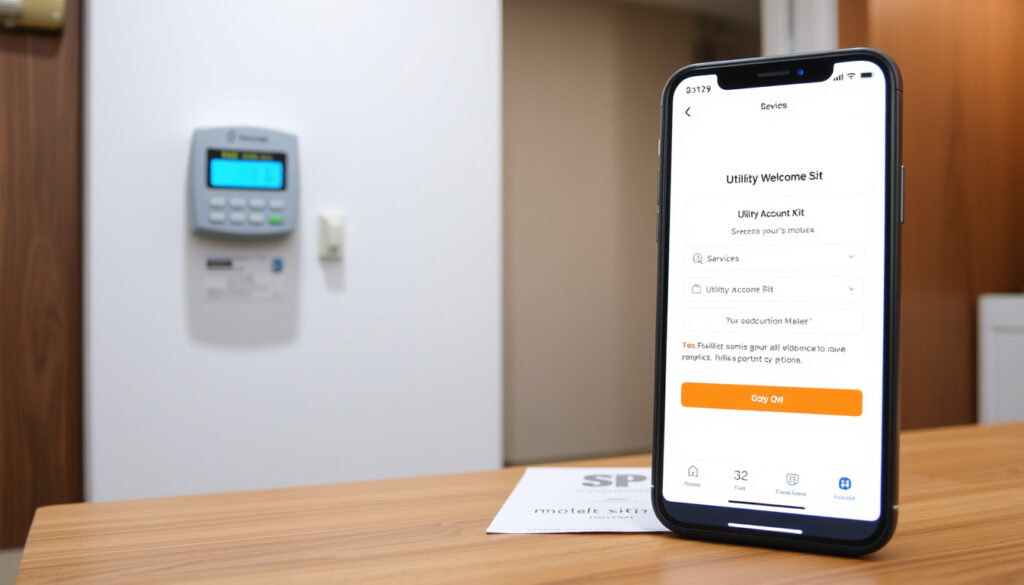
SP Services Open Account: How to Set Up Utilities in Singapore
If you’ve just moved into a new flat or taken over a rental in Singapore, your first day may already feel like a whirlwind of key collection, cleaning, and furniture assembly. Among those tasks, setting up utilities is one you can’t skip.
Minimum age to open an SP account: 18 years · SP Services hotline: 1800-227-1233 · Time to activate utilities after application: 1–3 business days
SP Services, the retail arm of SP Group, handles electricity and water accounts for most homes and businesses here. This guide walks you through exactly what you need—documents, steps, and payment options—so you can get the lights on without the headaches.
Quick snapshot
- Minimum age to open an SP account is 18 (SP Group – Singapore electricity and gas grid operator).
- Online account opening is available at openaccount.spgroup.com.sg (SP Group – Singapore electricity and gas grid operator).
- Credit cards are accepted for bill payment (PropertyGuru – Singapore property guide).
- SP Services is part of SP Group, a government-linked company (SP Group – Singapore electricity and gas grid operator).
- Exact processing time for commercial account applications may vary (PropertyGuru – Singapore property guide).
- Whether specific credit cards offer rebates on SP bills depends on card terms (99.co – Singapore property portal).
- Availability of City Energy gas supply varies by development (99.co – Singapore property portal).
- Whether the 1–3 business days activation time applies to all property types (SP Group – Singapore electricity and gas grid operator).
- Utility activation typically takes 1–3 business days after application (SP Group – Singapore electricity and gas grid operator).
- HDB BTO flats: no appointment needed for electricity and water (SP Group – Singapore electricity and gas grid operator).
- Set up payment method (GIRO, credit card, AXS). (SP Group – Singapore electricity and gas grid operator)
- Contact City Energy at 1800-555-1661 for gas turn-on (SP Group – Singapore electricity and gas grid operator).
Five key facts, one pattern: eligibility and speed vary by property type, but the core requirements stay consistent.
| Fact | Value |
|---|---|
| Minimum age to open account | 18 years |
| Online application window | Up to 30 days in advance |
| Utility activation time | 1–3 business days |
| SP Services hotline | 1800-227-1233 |
| SP Group served customers (approx.) | 1.5 million residential and business accounts |
How to get a SP account?
What documents are needed to open an SP account?
- For Singapore Citizens and PRs: NRIC (or use Singpass MyInfo to autofill) (99.co – Singapore property portal).
- For foreigners: passport or FIN card (PropertyGuru – Singapore property guide).
- Proof of occupancy: tenancy agreement or ownership documents (SP Group – Singapore electricity and gas grid operator).
- A mailing address if it differs from the service address (99.co – Singapore property portal).
Can I open an SP account online?
Yes. SP Group offers a dedicated portal at openaccount.spgroup.com.sg. The process allows you to register either as an individual or on behalf of a company (99.co – Singapore property portal). Singpass users can use MyInfo to auto-populate personal details, saving time.
Using MyInfo online cuts document uploads and reduces errors. For residents with Singpass, the portal is the fastest route – no physical forms needed.
How long does it take to open an SP account?
- For HDB BTO flats: no appointment is required. Electricity and water are turned on immediately after account approval (SP Group – Singapore electricity and gas grid operator).
- For resale HDB flats and other residential properties: a safety inspection is done on site before supplies are turned on (SP Group – Singapore electricity and gas grid operator). The turn‑on can be scheduled up to 30 days in advance, and activation typically takes 1–3 business days.
- Gas supply turn‑on is handled separately by City Energy after the utilities account is opened. Contact City Energy at 1800-555-1661 to schedule (SP Group – Singapore electricity and gas grid operator).
The account holder or a representative must be present for the turn‑on appointment. A missed slot can delay your move‑in date by days.
What is SP service?
What does SP services mean?
SP Services is the retail arm of SP Group, the company that operates Singapore’s electricity and natural gas transmission networks. It manages billing, account management, and customer service for residential and commercial utility accounts (SP Group – Singapore electricity and gas grid operator).
What is meant by SP account?
Your SP account is a unique number assigned to you when you open a utilities account. It is used for all transactions – paying bills, updating payment methods, and checking usage history. The SP Utilities Portal and app let you access this account online (SP Group – Singapore electricity and gas grid operator).
The pattern: SP Services is effectively the billing and customer‑facing side of Singapore’s national grid. Your account number is your key to every utility interaction.
How to pay SP services?
Can I use a credit card to pay a SP bill?
Yes. SP Services accepts credit cards via the SP Utilities Portal, AXS stations, and selected partner apps. Some cards offer rebates or reward points on utility payments, but terms vary. Check with your card issuer for processing fees or exclusions (PropertyGuru – Singapore property guide). Cash payments are accepted at SP Service Centres.
How to pay SP services online?
- Log in to the SP Utilities Portal and choose credit/debit card, GIRO, or online banking.
- Use AXS stations, SAM kiosks, or the AXS mobile app.
- Set up GIRO for automatic monthly deduction from your bank account.
GIRO is free but requires a form submission and takes 1–2 billing cycles to activate. Credit cards are instant but may incur a convenience fee depending on the channel.
Why this matters: Choosing the right payment method can save you time and potentially earn rewards – but only if you read the fine print on card fees.
How to change payment method for SP services?
How do I change the credit card that is currently used for my subscription?
Log in to the SP Utilities Portal, go to “Bill Preferences” or “Payment Method,” and update your card details. The new card will be used for the next billing cycle (99.co – Singapore property portal).
How to update GIRO arrangement for SP bills?
GIRO changes require a new application. Download the GIRO form from the SP Group website, fill it in with your bank account details, and submit it through your bank or SP Services. Processing can take up to two weeks (PropertyGuru – Singapore property guide).
The catch: GIRO updates aren’t instant – if you need a change fast, switch to credit card first, then set up GIRO later.
Can I use a credit card to pay a SP bill?
Yes, credit cards are accepted via the SP Utilities Portal, AXS stations, or selected partner apps. Some cards offer rebates or rewards on utility bill payments. Check with your card issuer for any processing fees or exclusions (PropertyGuru – Singapore property guide).
For higher value bills, a card with a quarterly cap might limit your rewards. The trade-off: convenience versus potential fees.
Steps to open an SP account (quick checklist)
- Prepare your NRIC, FIN, or passport, plus tenancy agreement or proof of ownership.
- Go to openaccount.spgroup.com.sg and select account type (residential or commercial).
- Fill in personal details (use Singpass MyInfo if available).
- Choose your desired start date (up to 30 days ahead).
- Submit the application. You’ll receive confirmation within 1–3 business days.
- If a turn‑on appointment is needed, book a time slot. The account holder or representative must be present.
- Contact City Energy at 1800-555-1661 to arrange gas supply.
“Applicants must be 18 years and older with a valid NRIC, FIN, or passport. Proof of ownership or tenancy is required. Using MyInfo online makes the process faster and reduces paperwork.”
— SP Group customer service representative (paraphrased)
“The SP Utilities Portal allows you to register as an individual or on behalf of a company. If City Energy is not available at your development, the system will indicate that during the application.”
— PropertyGuru guide author (paraphrased)
The quotes confirm that preparing documents in advance streamlines the setup.
Frequently asked questions
How do I close an SP account?
Log in to the SP Utilities Portal, go to account settings, and request closure. You may need to settle any outstanding bills and provide a final meter reading. Contact SP Services at 1800-227-1233 for assistance.
What is the SP account number used for?
It is used for all transactions—paying bills, updating payment methods, checking usage history, and contacting customer support.
Can I have multiple SP accounts?
Yes, you can manage multiple accounts (e.g., for different properties) under one SP Utilities Portal login.
How to update my contact details with SP Services?
Update your email, phone, and mailing address in the SP Utilities Portal under “Profile” or “Account Settings.”
What if I forget my SP account login password?
Use the “Forgot Password” link on the SP Utilities Portal login page to reset it via your registered email or mobile.
How to check my SP bill history online?
Log in to the SP Utilities Portal and navigate to “Bill History” or “My Bills.” You can view and download past statements.
Is there a fee for late payment of SP bills?
Yes, SP Services charges a late‑payment fee if the bill is not paid by the due date. The fee amount is displayed on your bill.
More related posts
 Katy Perry Justin Trudeau: Dating Rumors Fact-Checked
 Eden by Wizards Menu: Johor Bahru Dishes, Prices & Halal Info
 Japanese Prime Minister China Tensions: Takaichi’s Warnings
 Yardbird Southern Table & Bar Reviews: Menu, Dress Code & More
 Google Docs Dark Mode: Enable on PC, Mobile & Extensions
 English to Tamil Translation: Best Free Tools & Apps
 Lee Seung-hyun: Biography, Career, and Marriage to Qi Wei
 Best Nasi Padang Singapore: Top Stalls, Etiquette & Prices
