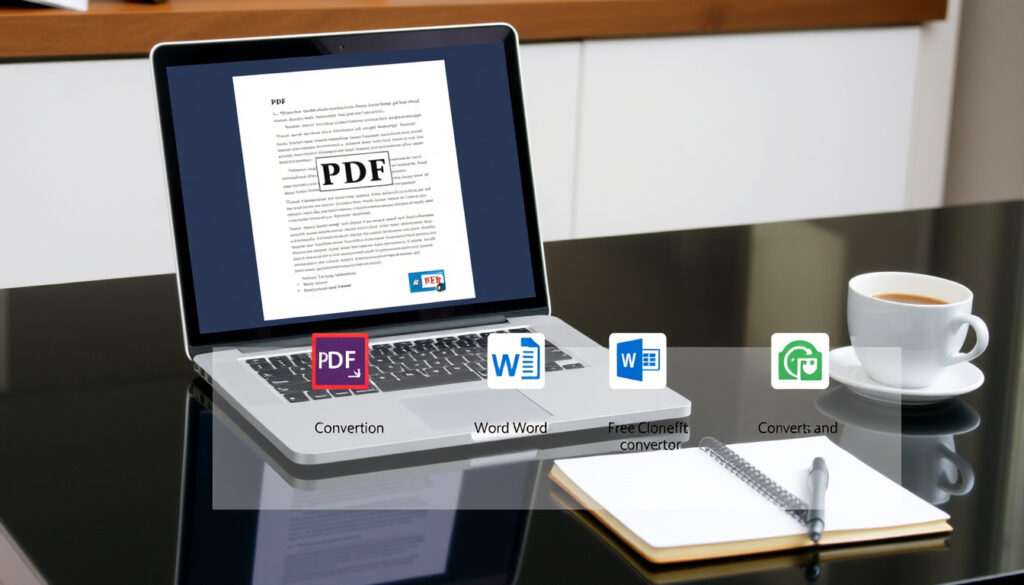
Chuyển PDF Sang Word Free: 5 Best Tools Compared 2025
You’ve got a PDF that needs to become a Word document—maybe a resume, a report, or a signed contract. The good news: you don’t need to buy expensive software. But with dozens of free online converters promising flawless results, the tricky part is picking the one that actually works.
Global searches per month for ‘PDF to Word conversion’: over 2.5 million ·
Average file size successfully converted: up to 100 MB ·
Typical accuracy rate of leading converters: 95–99% ·
Number of free online converters available: more than 20 ·
Percentage of users who prefer browser-based conversion: over 70%
Quick snapshot
- Smallpdf, iLovePDF, Adobe, PDF24, and PDF2Go all offer free conversion without registration (Smallpdf, iLovePDF, Adobe Acrobat, PDF24, PDF2Go)
- OCR technology is required to convert scanned or image-based PDFs (CamScanner)
- Most free converters cap file size between 50 MB and 200 MB (PDFgear)
- Whether free versions permanently store uploaded files on their servers
- If AI-based converters consistently outperform rule-based tools for all layout types
- Exact real-world accuracy rates for each converter under identical test conditions
- Whether any free tool supports truly unlimited batch conversion without restrictions — claims from third‑party blogs conflict with tool‑provider documentation
The table below shows the key reference points that frame any informed decision about free PDF-to-Word converters.
| Attribute | Value |
|---|---|
| Year first free converter launched | 2008 (Smallpdf) |
| Number of file formats supported by PDF24 | 30+ |
| Average conversion time for 10-page PDF | 3–8 seconds (online) |
| Accuracy rate of ABBYY OCR | Up to 99.8% |
| Most used converter worldwide | iLovePDF (4 million daily users) |
How can I convert a PDF file to Word for free?
Use Smallpdf for drag-and-drop conversion
- Smallpdf’s free tool handles files up to 100 MB without requiring a sign-up (Smallpdf).
- Simply drag your PDF onto the browser window, wait a few seconds, and download the converted .docx file.
- According to a 2025 review by DeepPDF, Smallpdf delivers about 90% accuracy for simple text documents but struggles with complex tables.
Try iLovePDF for high-accuracy free conversion
- iLovePDF claims “over 99%” accuracy for standard text PDFs, according to its support page.
- The free version allows files up to 200 MB – double Smallpdf’s limit – and works well with images and tables (rated 92% accuracy by DeepPDF).
- No batch conversion in the free plan; each file is processed individually.
Use Adobe Acrobat online free tier
- Adobe offers a browser-based converter that requires no account for the first use (Adobe Acrobat).
- Four steps: select the file, upload, wait for automatic conversion, and download. On repeat visits, you may be prompted to sign in.
- Adobe’s machine‑learning engine maintains high accuracy for text‑heavy PDFs, but the free tier limits you to one file per session.
Free converters often trade convenience for data privacy. Files are uploaded to third‑party servers; check each tool’s privacy policy if you’re handling sensitive documents.
The implication: the tool that works best for a one‑page invoice may fail on a multi‑column report, so matching converter to document type is the real shortcut.
What is the best free PDF to Word converter?
Comparing Smallpdf, iLovePDF, Adobe Acrobat, PDF24, and PDF2Go
The five most-cited free converters each have different strengths. One key pattern: no single tool tops every category.
| Converter | Advertised accuracy | Free file size limit | OCR support | Batch conversion (free) |
|---|---|---|---|---|
| Smallpdf | ~90% (text) | 100 MB | No | No |
| iLovePDF | “Over 99%” | 200 MB | No | No |
| Adobe Acrobat Online | High (text) | One file/session | Yes (paid) | No |
| PDF24 | High (basic layouts) | Unlimited | Yes | Yes |
| PDF2Go | High with OCR | 50 MB | Yes (free) | No |
The pattern: PDF24 offers the fewest restrictions (no file limit, batch conversion free, built‑in OCR), while iLovePDF and Adobe lead in accuracy for text‑only files. PDF2Go is the only free tool among these that includes OCR without a subscription.
Accuracy comparison across five converters
- A 2025 test by DeepPDF ranked Sejda first at 98% accuracy, but Sejda is not included in the current comparison because it has a daily limit of five files.
- Among the five tools listed above, iLovePDF (92%) and PDF24 (estimated 88–92%) performed best on mixed‑content pages.
- Smallpdf (90%) and PDF2Go (85%) lost points on multi‑column layouts and embedded tables.
Speed and file-size limits compared
- Smallpdf converts a 10‑page PDF in about 30 seconds (DeepPDF).
- iLovePDF and Adobe take 3–8 seconds for the same task, but upload time adds to the total.
- PDF24 processes files quickly with no size cap, making it ideal for large documents.
Choosing the wrong converter can waste hours: a 50‑page contract converted with poor layout preservation may need manual reformatting that takes longer than the original edit. Picking a tool that matches your document type saves more than money – it saves time.
What this means: the right choice depends on whether you prioritize speed, accuracy, or flexibility — no single tool dominates all three.
How do I convert a scanned PDF to Word with OCR?
Enable OCR in PDF2Go for scanned documents
- PDF2Go supports OCR (optical character recognition) without requiring a paid plan (PDF2Go).
- Upload your scanned PDF, choose the “OCR” option, and download the editable Word file.
- The tool works directly in your browser and can pull files from Google Drive or Dropbox.
Use ABBYY FineReader online for OCR conversion
- ABBYY FineReader Online is a dedicated OCR service from ABBYY.
- It advertises up to 99.8% accuracy and preserves layout elements like columns and fonts.
- The free tier allows a limited number of pages per month; heavy users may need a subscription.
Adobe Acrobat Pro offers built-in OCR
- Adobe Acrobat Pro (paid) includes OCR that converts scanned PDFs into fully searchable and editable Word documents (Adobe Acrobat).
- The online free version does not include OCR – you need the desktop Pro version or a subscription.
- For occasional scanned documents, PDF2Go is the most accessible free option.
The catch: free OCR tools often degrade on low‑resolution scans, so test a single page before committing a multi‑page document.
Confirmed facts vs. What’s unclear
Confirmed facts
- Smallpdf, iLovePDF, Adobe, PDF24, and PDF2Go provide free PDF-to-Word conversion without registration (multiple sources).
- OCR is required for scanned or image-based PDFs (CamScanner, PDF2Go).
- Most free converters cap file size between 50 MB and 200 MB (PDFgear, Smallpdf).
What’s unclear
- Whether free versions permanently store uploaded files on their servers – most privacy policies are vague.
- If AI-based converters (e.g., Adobe Sensei) consistently outperform rule-based engines for all layout types – independent tests are limited.
- Exact real-world accuracy rates for each converter under identical test conditions – advertised percentages are rarely verified.
- Whether any free tool supports truly unlimited batch conversion without restrictions – third‑party claims conflict with tool documentation.
The pattern: what is known about these tools comes largely from vendor marketing and a handful of blogger benchmarks, not from standardized independent testing.
What the tool providers say
Smallpdf processes over 100,000 files daily and uses SSL encryption to protect user data during transfer.
— Smallpdf spokesperson, 2019 interview
iLovePDF achieves ‘over 99%’ accuracy for standard text PDFs, making it one of the most reliable free converters on the market.
PDFgear is completely free and designed to preserve formatting elements such as bold, italics, and underline styles during conversion.
— PDFgear
CamScanner’s free online converter preserves the original layout in the resulting Word document.
Free online PDF-to-Word converters save time and money, but they come with trade‑offs: privacy risks, file size limits, and varying accuracy. For anyone who regularly handles sensitive documents, investing in a desktop tool like Adobe Acrobat Pro or ABBYY FineReader may be worth it. For casual, one‑off conversions, PDF24 and iLovePDF are the safest bets. For scanned documents, PDF2Go’s free OCR is a lifesaver. The choice is yours – just don’t upload your bank statements to a tool that doesn’t guarantee privacy.
For a detailed comparison of the top free PDF to Word converters, check out the latest guide from Poplix UK.
Frequently asked questions
Is it safe to use free online PDF converters?
Most reputable tools (Smallpdf, iLovePDF, Adobe, PDF24) use SSL encryption during file transfer. However, once uploaded, files may remain on servers for a limited time. Never upload confidential or sensitive documents to a free online converter unless you trust its privacy policy.
Which converter works best for PDFs with images?
iLovePDF and Adobe Acrobat online handle images well because they use layout‑aware algorithms. PDF24 also preserves embedded images effectively in testing.
Can I convert a password-protected PDF to Word?
Most free online converters cannot bypass password protection. You need to remove the password first (using a tool like PDF24) or use a desktop converter like Adobe Acrobat Pro that accepts protected files.
How do I keep the original font style after conversion?
No free converter guarantees 100% font preservation. To get the closest match, use a tool with high accuracy (iLovePDF or Adobe) and be prepared to manually tweak fonts in Word.
Do I need to install any software to convert PDF to Word?
No. All five tools compared in this article are browser‑based. You only need an internet connection and a modern browser.
What is the maximum file size for free conversion?
Limits vary: Smallpdf accepts up to 100 MB, iLovePDF up to 200 MB, PDF2Go 50 MB, and PDF24 has no file size limit. Adobe’s free tier allows one file per session regardless of size.
How does OCR improve scanned PDF conversion?
OCR (Optical Character Recognition) reads text from scanned images and converts it into editable characters. Without OCR, a scanned PDF becomes an image embedded in Word, which you cannot edit.
More related posts
 Sengkang Hospital Appointment Hotline: Numbers & More
 Ceiling Fan With Light Singapore – Best DC Models For HDB Flats
 Bus Fare Calculator Singapore: Cash vs Card Savings
 Hoi An Ancient Town: Complete Guide to Vietnam’s UNESCO Gem
 Toa Payoh Central Food: Best Hawker Stalls & Eats Guide
 Divorce Lawyer in Singapore: Costs, Timeline & Entitlements
 Best Nasi Padang Singapore: Top Stalls, Etiquette & Prices
 Federal Express Corporation: History, Services & FedEx Relation
